 India guide
Wallet · Deposits
Stake Deposit Methods: Indian Rupee and Crypto
The wallet takes Indian Rupee through a third-party payment page, with credit within up to 24 hours. Crypto deposits run on more than 20 coins with no maximum, and every deposit must be wagered 100% before a withdrawal.
Checked on
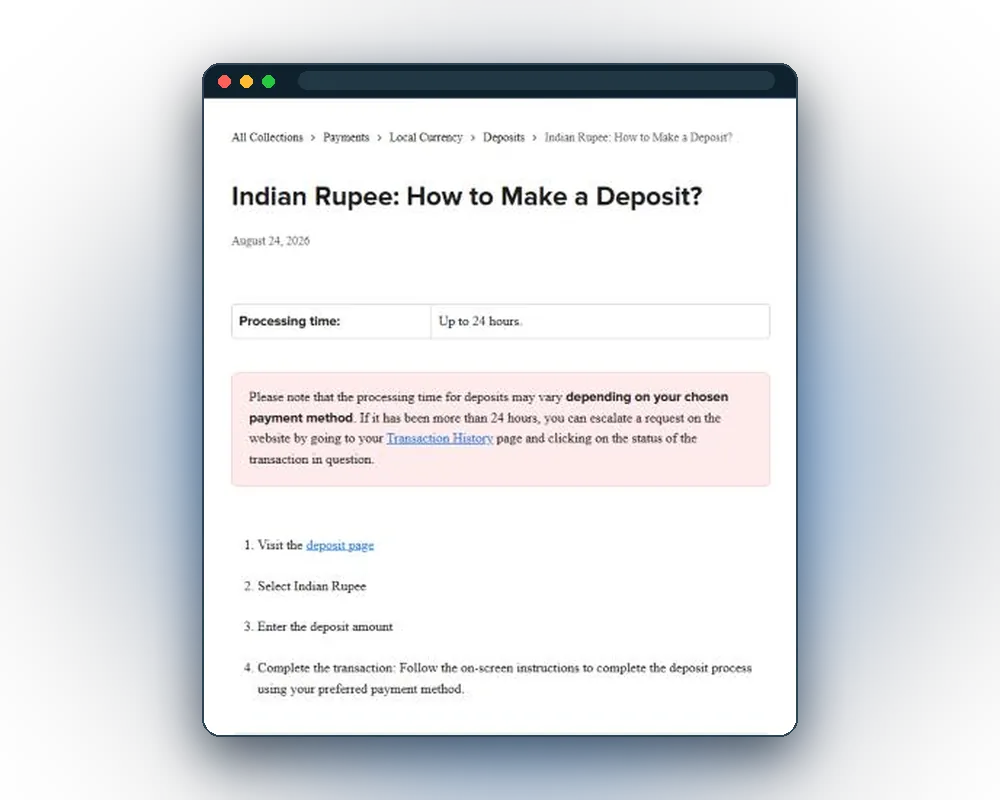
INR deposit step by step
Indian Rupee deposits open on a third-party payment page. That page lists the payment methods available for the account, and the operator credits the balance within up to 24 hours.
- Open the Wallet at the top of the site.
- Pick the Deposit tab and select Indian Rupee.
- Enter the deposit amount.
- Choose a method on the third-party payment page and enter the payment details there.
- Check the details and accept the transaction.
- Check the balance and the Transaction History once the payment goes through.
Credit time depends on the payment method and can take up to 24 hours. After 24 hours a deposit that has not landed can be escalated from Transaction History.
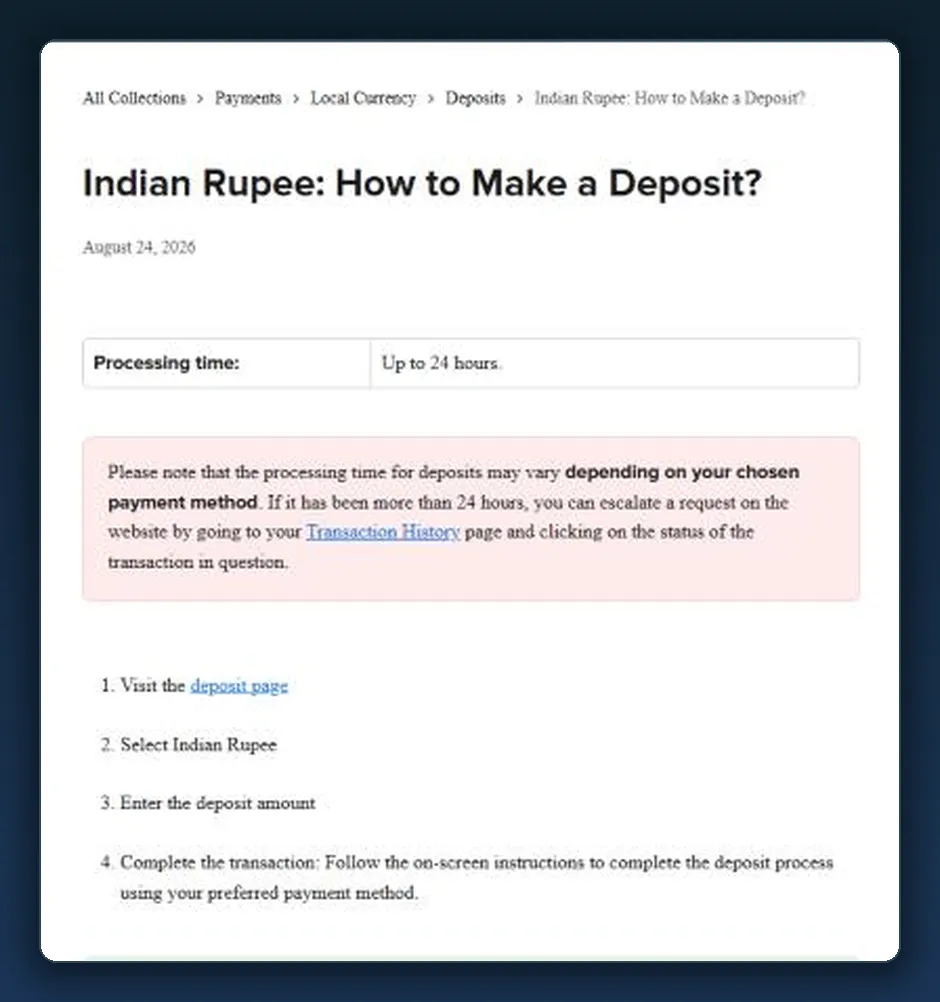
Deposits from the app
The Stake app is a web app installed from Safari or the Android browser menu, so it opens the same Wallet. The Deposit tab, the Indian Rupee option and the crypto addresses work exactly as on the full site.
Deposit methods at a glance
Two routes fund the balance: Indian Rupee through a payment page, or crypto sent to a deposit address. Two wallet tools sit beside them for buying and exchanging coins.
| Route | How it works | Time | Limits |
|---|---|---|---|
| Indian Rupee | Third-party payment page opened from the wallet | Up to 24 hours | Minimum and maximum shown in the wallet |
| Crypto deposit | Coins sent to the deposit address of each coin | No published time | No maximum; under $0.01 not processed automatically |
| Buy Crypto | Purchase on Moonpay, Swapped.com, Swap Connect or Mesh | Set by the outside platform | Set by the outside platform |
| Swap Crypto | Exchange of one coin for another inside the wallet | Up to 2 hours | Counts as a new deposit for the wager rule |
The methods behind the Indian Rupee page can differ between accounts and change over time. The wallet always shows the current list, minimum and maximum.
Before the first deposit
A verified e-mail address is required before any deposit or withdrawal. The code arrives by e-mail and goes into the Email Code field during registration.
- confirm the e-mail later in Settings → Account → Email if it was skipped;
- deposit only own funds, from payment methods and crypto wallets under the player's own control;
- keep the country in the account setup accurate, because available currencies depend on location;
- expect identity documents to be requested at some point, as described in the verification guide.
The message "Payments Temporarily Unavailable" means the local currency is not supported for the country set on the account. Crypto deposits work independently of the local currency list.
Crypto deposits: coins and networks
Crypto deposits start at Wallet → Deposit, where each coin has its own deposit address. Copy the address, pick the matching network and send the coins from an exchange or a private wallet.
| Coin | Networks and notes |
|---|---|
| Bitcoin (BTC) | Bitcoin network |
| Ethereum (ETH) | ERC20, BEP20 |
| Tether (USDT) | ERC20, BEP20, Polygon, TRC20, Solana |
| USD Coin (USDC) | ERC20, BEP20, Polygon, Solana |
| Litecoin (LTC), Dogecoin (DOGE), Bitcoin Cash (BCH) | Own networks |
| XRP, EOS | Tag (XRP) or memo (EOS) required with the address |
| Tron (TRX), Solana (SOL), BNB | Own networks; BNB on BEP20 |
| Cronos (CRO), TrumpCoin (TRUMP) | CRO on ERC20, TRUMP on Solana |
| POL, APE, DAI, LINK, SAND, SHIB, UNI | Network shown next to the deposit address |
| BUSD | Withdrawal only |
Crypto deposits have no maximum. Deposits under $0.01 are not processed automatically. Coins the wallet does not accept, and coins sent on the wrong network, are not credited; Arbitrum, Optimism, Base and the Cronos network are not supported.
18+The wallet shows the deposit address, network and current minimums for each coin.
Buying and swapping crypto in the wallet
Buy Crypto in the wallet sends the purchase to an outside platform: Moonpay, Swapped.com, Swap Connect or Mesh. When Moonpay and Swapped both offer a purchase, the wallet marks the one with the better rate.
Swap Crypto
Swap Crypto exchanges one coin for another inside the wallet and takes up to 2 hours to process. A swap is booked as a withdrawal plus a deposit, so the 100% wager requirement applies to it.
Display crypto in fiat
Wallet Settings has a "Display crypto in fiat" switch that shows crypto balances in a chosen currency, INR included. The conversion is approximate and does not change the coin actually held.
Minimums, maximums and fees
The operator sets the minimum deposit and can change it at any time; the wallet shows the current minimum and maximum for each method. Banks and payment services may add their own fees or currency conversion charges.
| Item | Detail |
|---|---|
| INR minimum and maximum deposit | Shown in the wallet for the chosen payment method |
| INR credit time | Up to 24 hours |
| Crypto minimum | Deposits under $0.01 are not processed automatically |
| Crypto maximum | None |
| Maximum casino bet in INR | INR 100,000,000 |
| Maximum casino profit in INR | INR 10,000,000 |
| Minimum bet | Equivalent of $0.0001 |
The operator can refuse a deposit at its discretion and may run extra identity checks while processing one. The withdrawal minimum and network fee of each coin sit with the withdrawal details.
The 100% wager rule and deposit bonuses
Every deposit, crypto or fiat, must be wagered 100% of its value before a withdrawal or a tip. Clause 8.5 of the Terms sets the rule for fiat, and the wallet shows "Please wager before withdrawing" until it is met.
- a deposit of INR 10,000 needs INR 10,000 in total bets before it can be withdrawn;
- sports bets count once they are settled;
- a deposit withdrawn without any bets placed is treated as an invalid withdrawal;
- a crypto swap counts as a new deposit and carries the same rule.
Bonus funds follow separate terms. A deposit bonus carries its own rollover, set at a 4% house edge, with sportsbook bets counting $0.75 for every $1; the payment method does not normally change which terms apply. The mechanics sit under VIP rewards and bonus terms.
Common deposit problems
Most failed deposits come down to a network, a missing tag or an unverified e-mail. The fixes are quick once the cause is clear.
| Mistake | Consequence | Fix |
|---|---|---|
| Coins sent on an unsupported network | The deposit is not credited | Send only on the network shown with the deposit address |
| XRP or EOS sent without the tag or memo | The deposit cannot be matched to the account | Copy the tag or memo together with the address |
| A crypto deposit under $0.01 | Not processed automatically | Contact support with the transaction hash |
| E-mail not verified | Deposits stay unavailable | Confirm the e-mail in Settings → Account → Email |
| "Payments Temporarily Unavailable" | The local currency is not offered for the account's country | Check the country set on the account |
| INR payment not credited after 24 hours | The balance stays unchanged | Escalate from Transaction History with proof of payment |
| Proof of payment without a reference | The check takes longer | Include the date, reference, recipient details and amount |
| Payment method in another person's name | Breaks the Terms of Service; funds can be forfeited | Deposit only own funds from own accounts |
Support for payment questions
Payment questions go to customer support through live chat or support@stake.com. A case moves faster when the first message carries everything needed to trace the payment.
- for INR: the date, the payment reference, the recipient details and the amount;
- for crypto: the coin, the network and the transaction hash;
- a screenshot of the Transaction History entry;
- the e-mail address registered on the account.
Live chat and e-mail handle every payment case. Genuine messages from the operator arrive from noreply@stake.com or noreply@mail.stake.com.
Deposit limits, banks and the PROG Act
A deposit limit caps how much can go into the account each day. Only a daily limit is available, and it is set in USD from the Responsible Gambling page.
- setting or lowering a deposit limit takes effect immediately;
- raising or removing it waits for a 24-hour cooling-off period;
- crypto deposited above the limit goes to a withholding balance and is released as the daily limit resets;
- loss and wager limits, breaks and self-exclusion sit with the other responsible gambling tools.
Section 7 of the Promotion and Regulation of Online Gaming Act, 2025 bars banks and payment handlers from facilitating transactions for online money gaming services, and has applied since 1 May 2026. It targets payment handlers, not players, but banks can still decline or block such payments.
Help with gambling problems is free on Tele-MANAS 14416, around the clock. Payments for online money games fall under the PROG Act, 2025.
Frequently asked questions
Short answers on deposits in INR and crypto.
What is the minimum deposit in INR on Stake?
The minimum depends on the payment method and appears in the wallet once Indian Rupee and a method are selected. The operator can change it.
Which methods work for INR deposits?
Indian Rupee leads to a third-party payment page that lists the methods available for the account. The list can differ between accounts and over time.
How long does an INR deposit take?
Up to 24 hours, depending on the method. After 24 hours the deposit can be escalated from Transaction History.
Can the balance be shown in rupees?
Yes. The "Display crypto in fiat" option in Wallet Settings shows crypto balances in INR as an approximate figure.
What happens if crypto is sent on the wrong network?
Coins sent on the wrong network, or coins the wallet does not accept, are not credited. Always use the network shown with the deposit address.
Do deposits from the app work differently?
No. The app is the same site installed as a web app, with the same Wallet and the same steps.
Is there a wager requirement on deposits?
Yes. Every deposit must be wagered 100% of its value before a withdrawal or a tip.
Is a verified e-mail needed to deposit?
Yes. The e-mail and account must be verified before any deposit.