 India guide
Account · Login
Stake Login: Sign In, 2FA, Passkeys and Password Reset
Stake login takes an e-mail or username with a password, a Google, Facebook, Line, Twitch or Kick account, or a passkey. Two-factor codes from an authenticator app refresh every 30 seconds, and lost 2FA access goes to recovery@stake.com with access back within 48 hours.
Checked on
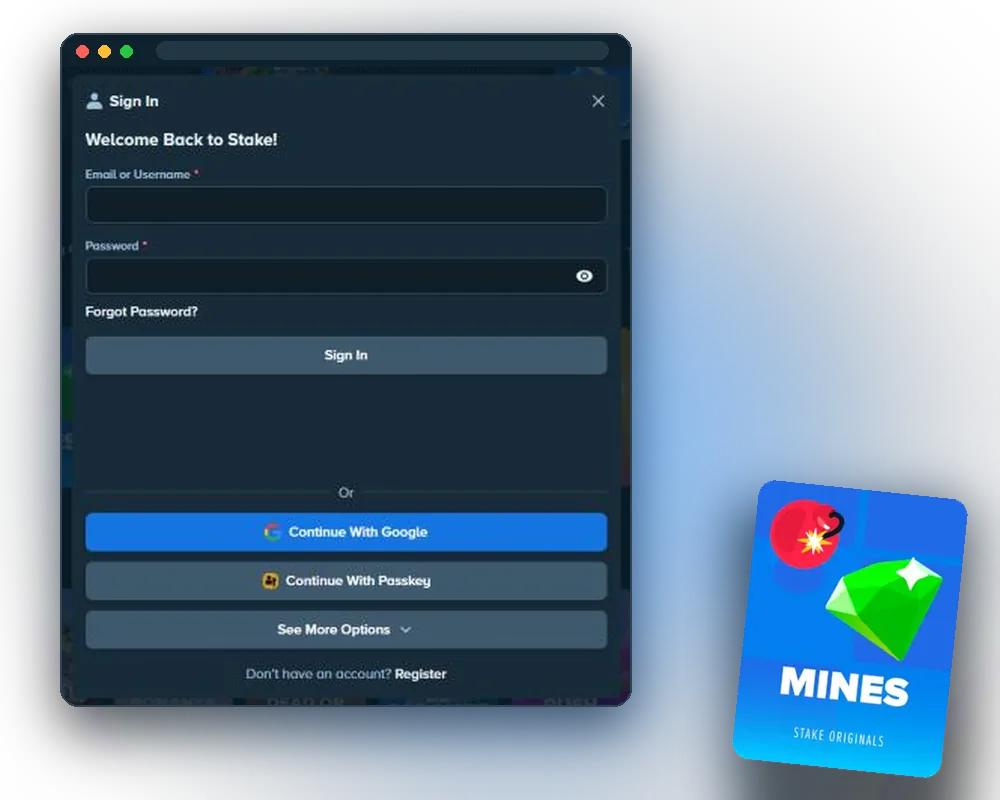
How to sign in to Stake
Sign In sits next to Register in the header of stake.com. The form takes the account's e-mail or username and its password, then asks for a 2FA code if two-factor authentication is on.
- Open stake.com and select Sign In.
- Enter the e-mail or username and the password.
- Enter the current code from the authenticator app, if 2FA is on.
- Confirm to open the account.
Login details must never be shared with anyone. The operator is not liable for misuse of an account after its login details are disclosed. New players start with the registration steps.
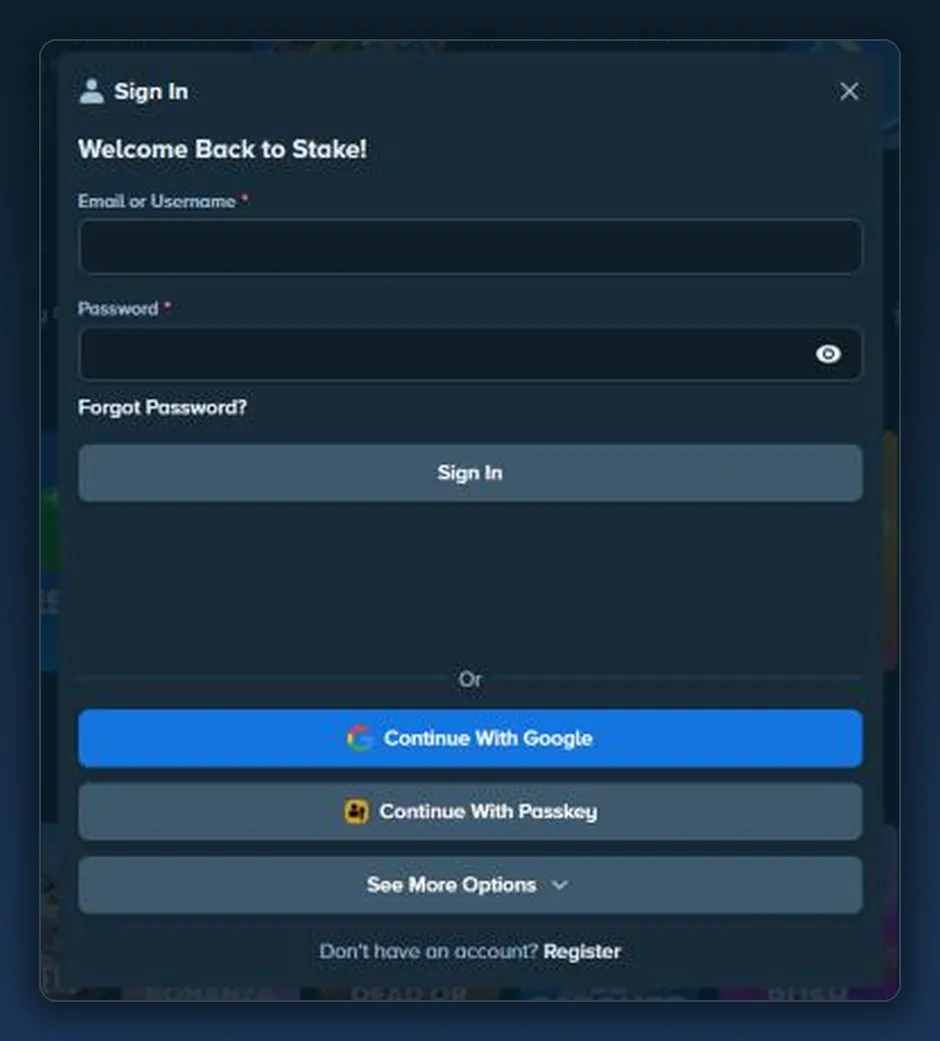
Social sign-in and passkeys
Accounts opened through Google, Facebook, Line, Twitch or Kick sign in with the same provider button. Passkeys drop the password and the 2FA code from sign-in altogether.
How passkeys work
A passkey generates a unique code for each sign-in and unlocks it with biometrics or the device PIN. It lives on the device, so nothing has to be typed.
- Go to Settings → Security.
- Choose to add a passkey.
- Confirm with biometrics or the device PIN.
How to set up 2FA
Two-factor authentication adds a code from an authenticator app to every sign-in. Each code stays live for 30 seconds before a new one replaces it.
- Install an authenticator app on the phone.
- Go to Settings → Security.
- Scan the QR code with the app or type in the key shown on screen.
- Enter the current code from the app.
- Open the confirmation e-mail and follow its link to switch 2FA on.
2FA also guards the Stake Vault, a separate store for funds under Account > Vault. Vault access checks the password, the verified e-mail and 2FA.
Password reset
Forgot Password on the sign-in form sends a reset link by e-mail. The link in that message sets a new password.
- Select Sign In, then Forgot Password.
- Enter the e-mail address of the account.
- Open the e-mail from noreply@stake.com and select the link.
- Set a new password.
- accounts opened with Facebook, Google, Line or Twitch reset the password on those platforms;
- if the link does not work, support@stake.com handles the reset by e-mail.
Lost 2FA device or lost e-mail
Both cases go to recovery@stake.com. The team checks ownership with questions about the account before access is restored.
| Problem | What to send | What happens |
|---|---|---|
| Lost 2FA app or phone | A message to recovery@stake.com from the e-mail linked to the account | Ownership check with account details; access back within 48 hours |
| Lost access to the e-mail | A message to recovery@stake.com from the new address | The new address is linked to the account |
A second account is not a way back in: duplicate accounts can be closed and their funds held.
Stake login not working: checks
Old cache and cookies can block the sign-in form. Clearing them takes a minute on a phone or a computer.
- on a phone: open the browser settings, clear cache and cookies, then reload stake.com;
- on a computer: open the browser's clear browsing data option, tick cache and cookies, then reload;
- check the e-mail or username for typos and the Caps Lock key;
- check that the phone's clock is set automatically if 2FA codes fail;
- use Forgot Password after a wrong-password message.
| Mistake | Consequence | Fix |
|---|---|---|
| 2FA code typed after it changed | The code is rejected | Enter the code shown now; each lasts 30 seconds |
| Lost phone with the authenticator app | No 2FA code to enter | Write to recovery@stake.com from the account's e-mail |
| Password reset tried for a Google or Twitch account | No password exists on the casino side | Reset the password with the provider |
| Old e-mail address no longer works | Reset links cannot arrive | Write to recovery@stake.com from the new address |
| Sign-in link opened from an unknown sender | Login details can end up with a phishing page | Delete the message and check the sender list below |
| Second account opened after losing access | All accounts can be closed and the funds held | Use recovery@stake.com instead |
Sender addresses and account safety
Three addresses send real account mail. Check the sender before opening any message about sign-in, codes or payments.
| Address | Used for |
|---|---|
| noreply@stake.com | Security, sign-in, verification and recovery |
| noreply@mail.stake.com | Marketing |
| support@stake.com | Support replies |
Account protection tools are covered under account safety. Live chat and e-mail contacts are listed under contacting support.
Help with gambling problems is free on Tele-MANAS 14416, around the clock. Stake's limits and self-exclusion tools cover breaks and closures, and a separate page explains how Indian law treats online gaming.
Frequently asked questions
Short answers on signing in and account security.
What does Stake login need?
The account's e-mail or username and password, a linked Google, Facebook, Line, Twitch or Kick account, or a passkey. A 2FA code follows if two-factor authentication is on.
How long is a 2FA code valid?
30 seconds. The authenticator app then shows a new code.
What if the phone with the 2FA app is lost?
Write to recovery@stake.com from the e-mail linked to the account. After an ownership check, access comes back within 48 hours.
How is a password reset?
Select Forgot Password on the sign-in form and follow the link in the e-mail. Accounts opened with Facebook, Google, Line or Twitch reset the password on those platforms.
What is a passkey?
A sign-in method that replaces the password and 2FA code and unlocks with biometrics or a device PIN. It is added under Settings → Security.
Does sign-in work the same in the app?
Yes. The web app uses the same e-mail or username, social buttons, passkeys and 2FA codes as the website. Install steps are under web app installation.
How can a real account e-mail be recognised?
It comes from noreply@stake.com, noreply@mail.stake.com or support@stake.com. Messages from other addresses are not account mail.